On this page
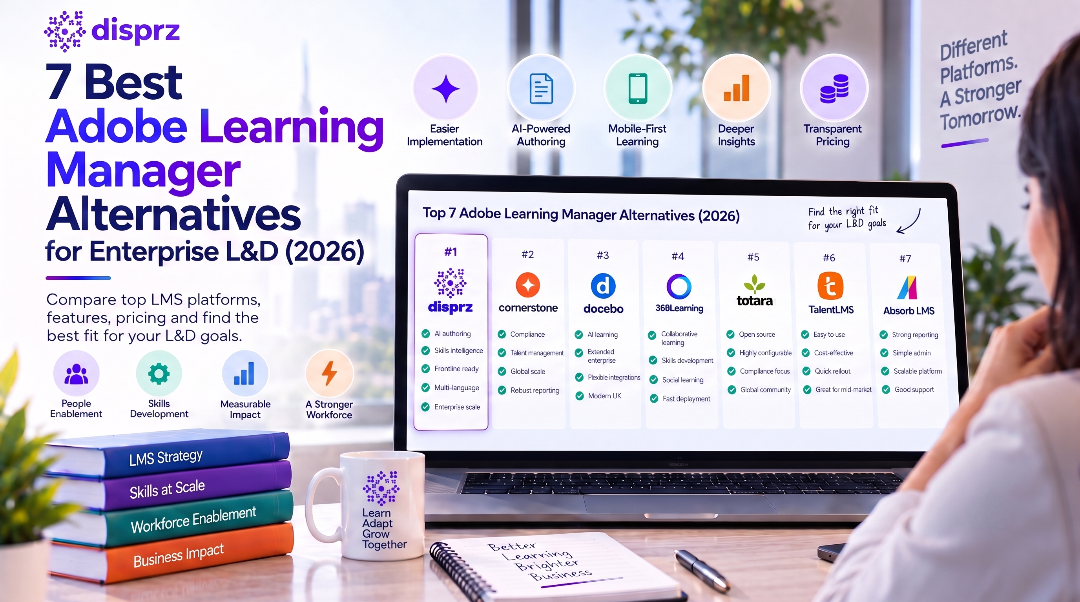
The 7 best Adobe Learning Manager alternatives enterprise L&D teams shortlist in 2027, ranked: 1. Disprz, 2. Cornerstone Learning, 3. Absorb LMS, 4. 360Learning, 5. Litmos, 6. TalentLMS, 7. Moodle Workplace. The right choice depends on your workforce size, your industry, and how the platform must fit your existing HR system:
- Large enterprises (1,000+ employees): Disprz and Cornerstone Learning, for depth of compliance and skills at scale.
- Mid-market (200 to 1,000): Disprz, Absorb LMS and 360Learning, balancing capability with speed to launch.
- Frontline-heavy operations (retail, hospitality, field and shop-floor): Disprz and Litmos, for mobile reach teams actually use.
- Skills-first and continuous upskilling: Disprz and 360Learning, for mapping roles to skills and proving progression.
Disprz ranks first for combining AI authoring, Skills Intelligence, frontline mobile reach and native multi-language localization in one platform. Ratings below are real and cited to their source.
Why teams look for Adobe Learning Manager alternatives
Adobe Learning Manager (formerly Captivate Prime) is a cloud LMS aimed at customer, partner and employee training inside the Adobe and Salesforce ecosystem. It is a capable platform, and this is not a takedown. But when we read Adobe Learning Manager's own user reviews, the same frustrations came up again and again. We grouped the recurring negatives, and they map almost one to one onto the criteria we score every alternative on below:
- A complex setup and steep admin learning curve. A guided setup and an admin interface your team can pick up quickly, rather than weeks of trial and error before go-live.
- Sluggish performance and a dated feel. A responsive, modern platform with AI authoring that turns SOPs and decks into training fast, not aging content tooling.
- A weak mobile experience. Mobile-first, offline-capable delivery so shift, field and deskless staff can actually complete training on a phone.
- Reporting is hard work. Native dashboards and skills analytics that map roles to skills and prove progression, without exporting data elsewhere.
- Expensive, with multi-year lock-in. A pricing model you can model at your real headcount, without a rigid multi-year lock-in to get core capability.
These are not our opinions. Here is a representative sample, in reviewers' own words:
“The initial learning curve to get used to the user interface was complex and frustrating when learning how to set it up for the rest of the office to use.”
SL Education Management, 51-200 employees · 4/5 · Jan 2026 · via Software Advice
“The system's occasional sluggishness, loading times are sometimes very long.”
SL Events Services, 11-50 employees · 4/5 · Jun 2025 · via Software Advice
Adobe Learning Manager pain points vs the alternative, side by side
Each row starts with a real, dated Adobe Learning Manager review and turns it into what you should look for in an alternative.
Verbatim reviews via Software Advice, Sep 2026
| Pain point | What Adobe Learning Manager users say | What to look for in an alternative |
|---|---|---|
| A complex setup and steep admin learning curve | “The initial learning curve to get used to the user interface was complex and frustrating when learning how to set it up for the rest of the office to use.” Naya O., Jan 2026 |
A guided setup and an admin interface your team can pick up quickly, rather than weeks of trial and error before go-live. |
| Sluggish performance and a dated feel | “The system's occasional sluggishness, loading times are sometimes very long.” Oliver R., Jun 2025 |
A responsive, modern platform with AI authoring that turns SOPs and decks into training fast, not aging content tooling. |
| A weak mobile experience | “Mobile experience is not always optimal: the navigation or display on smaller devices could improve.” Breona P., Nov 2025 |
Mobile-first, offline-capable delivery so shift, field and deskless staff can actually complete training on a phone. |
| Reporting is hard work | “Reporting is very difficult, and course scores do not always save.” Several reviewers, 2026 |
Native dashboards and skills analytics that map roles to skills and prove progression, without exporting data elsewhere. |
| Expensive, with multi-year lock-in | “It is expensive and needs a minimum multi-year commitment, with little flexibility to exit early.” Several reviewers, 2026 |
A pricing model you can model at your real headcount, without a rigid multi-year lock-in to get core capability. |
Explore how Disprz addresses these: the LMS platform, Frontline Enablement and Skills Intelligence and LXP. Or book a demo to see them on your own use case.
Best Adobe Learning Manager alternatives: at a glance
G2, Capterra and Gartner Peer Insights ratings, verified Sep 2026
| Platform | Key features | What it solves (and for whom) | Best for | Cost | Rating (G2 / Capterra / Gartner) |
|---|---|---|---|---|---|
| 1. Disprz | AI authoring (Turo), Skills Intelligence, frontline mobile, native Arabic | Skill gaps and frontline reach for enterprise L&D teams | Skills-first enterprise L&D across both desk and frontline teams | Custom enterprise quote · quote only | G2 4.4/5 (94) · Capterra 4.7/5 (138) · Gartner 4.9/5 (6) |
| 2. Cornerstone Learning | Configurable learning, compliance, succession, reporting | Complex global compliance and talent for very large enterprises | Large, complex global enterprises with a dedicated LMS admin team | Custom enterprise quote · quote only | G2 4.1/5 (534) · Gartner 4.2/5 (393) |
| 3. Absorb LMS | Automation, learning paths, multi-tenant branding, reporting | Staff, customer and partner training for busy admins | Automation-heavy administration and multi-audience training | Custom quote, per-user or active-user · quote only | G2 4.6/5 (974) · Capterra 4.6/5 (360) · Gartner 4.6/5 (334) |
| 4. 360Learning | Collaborative authoring, academies, analytics | In-house expert-led course creation for growing teams | Collaborative, bottom-up course creation by in-house experts | Per registered user · tiers published | G2 4.6/5 (642) · Capterra 4.7/5 (512) · Gartner 4.6/5 (124) |
| 5. Litmos | Easy UI, compliance course library, 35 languages, mobile | Fast compliance and partner training for lean L&D teams | Fast rollout of compliance and partner training with an easy interface | Per-user tiers · tiers published | G2 4.3/5 (698) · Capterra 4.2/5 (385) · Gartner 4.4/5 (51) |
| 6. TalentLMS | Simple setup, gamification, content library | Quick, simple training for smaller teams | Smaller teams and simple, quick-to-launch training programmes | Per-user tiers, free starter plan · list price published | G2 4.6/5 (808) · Capterra 4.7/5 (600) · Gartner 4.6/5 (25) |
| 7. Moodle Workplace | Open-source, self-hostable, plugin ecosystem | Custom, self-hosted learning for technical teams on a budget | Technical teams that want open-source control on a tight budget | Partner hosting and support; open-source core is free to self-host · varies by partner | G2 4.1/5 (418) · Capterra 4.3/5 (3387) · Gartner 4.1/5 (109) |
Best Adobe Learning Manager alternatives against the pain points
Every platform scored against the same Adobe Learning Manager pain points, so you can see at a glance which alternatives actually fix what sent you looking. (Pricing is covered separately below, since vendors do not publish comparable numbers.)
Strong, Moderate or Limited per criterion
| Platform | Simple setup and admin | Modern, fast platform | Frontline and mobile | Native reporting and skills |
|---|---|---|---|---|
| 1. Disprz | Strong | Strong | Strong | Strong |
| 2. Cornerstone Learning | Limited | Moderate | Moderate | Strong |
| 3. Absorb LMS | Moderate | Moderate | Moderate | Moderate |
| 4. 360Learning | Strong | Moderate | Moderate | Moderate |
| 5. Litmos | Strong | Moderate | Strong | Moderate |
| 6. TalentLMS | Strong | Limited | Moderate | Limited |
| 7. Moodle Workplace | Limited | Limited | Limited | Limited |
The 7 best Adobe Learning Manager alternatives, ranked
1. Disprz
Disprz is an AI-powered LMS, LXP and Skills Intelligence platform built for enterprise workforces across both desk and frontline teams. Its Turo engine converts SOPs into microlearning, Skills Intelligence maps roles to skills and proves progression, and it reports 8X training ROI. It is the only platform here rated Strong on all seven criteria.
Why Disprz fits Adobe Learning Manager switchers: it is built to answer the exact pain points that send teams away from Adobe Learning Manager. Rated Strong on implementation, with guided enterprise onboarding and a single admin console, so teams are typically live in weeks. Turo AI authoring converts SOPs into microlearning in minutes on a modern platform, so content stays current without long manual cycles.
| Best for | Skills-first enterprise L&D across both desk and frontline teams |
|---|---|
| Ratings | G2 4.4/5 (94) · Capterra 4.7/5 (138) · Gartner 4.9/5 (6) |
| Best-fit size | Mid-market to large enterprise (200 to 10,000+) |
| Strongest in | BFSI, retail, hospitality, manufacturing, IT/ITeS and pharma |
| Deployment | Cloud SaaS with configurable data handling for regional residency |
| Typical rollout | Fast, typically live in a few weeks |
| HR system fit | Workday, SAP SuccessFactors, Oracle HCM, Darwinbox, BambooHR, plus SSO (SAML, Okta, Azure AD) |
| Pricing | Custom enterprise quote · list price public: No, quote only · Guided demo |
Key features:
- AI content authoring with Turo (SOPs to microlearning)
- Skills Intelligence: role-to-skill mapping and gap analysis
- Frontline Enablement Platform for mobile, offline learning
- Native Arabic and multilingual delivery with RTL
- LMS, LXP and analytics in one platform
- HRIS, HCM and single sign-on integrations
How it scores against the Adobe Learning Manager pain points:
- A complex setup and steep admin learning curve: Strong
- Sluggish performance and a dated feel: Strong
- A weak mobile experience: Strong
- Reporting is hard work: Strong
It rates Strong on every one of the Adobe Learning Manager pain points, so it fixes what sent buyers looking in the first place.
The badges, leaderboards, and progress tracking created a more interactive and motivating learning environment.
SL Financial Services, 201-500 employees · 5/5 · Sep 2024 · via Software Advice
Watch-out. Pricing is by custom quote. An earlier reviewer also flagged branding customization: “Limited customization for branding purposes.”, Verified Reviewer, Financial Services, 201-500 employees, Aug 2024. Disprz has since addressed this in recent product updates.
Explore Disprz: LMS, LXP and Skills Intelligence, Frontline Enablement. Or book a demo.
Verdict: The strongest all-round choice when you need one platform across desk and frontline, with native-language delivery, HRIS integration and skills data built in rather than bolted on.
How Disprz performs across industries
Disprz publishes its results in the Disprz Skills Impact Index, aggregated from 47 enterprise deployments across 19 industries and 12 regions. Here is how it has performed in the industries where it is most deployed:
| Industry | Deployments | Median completion | Median adoption |
|---|---|---|---|
| Banking | 6 | 85% | 85% |
| Financial Services | 6 | 91% | 75% |
| Insurance | 6 | 92% | 78% |
| Retail | 5 | 90% | 90% |
| Telecom | 2 | 92% | 97% |
| Healthcare | 2 | 97% | 93% |
| Food Services | 2 | 97% | 70% |
| IT and ITeS | 2 | 80% | 93% |
Representative outcomes include Fabindia (20% store sales growth, retail), Telkomsel (97% platform adoption, telecom), HDFC ERGO (7X learner engagement, insurance) and Security Bank (PHP 3M training cost saved, banking).
2. Cornerstone Learning
Cornerstone Learning is an established enterprise suite spanning learning, compliance and talent for very large, global organisations. It offers deep configurability and strong reporting, but reviewers consistently note a steep learning curve and a dated administration experience that needs dedicated resource to run well day to day.
| Best for | Large, complex global enterprises with a dedicated LMS admin team |
|---|---|
| Ratings | G2 4.1/5 (534) · Gartner 4.2/5 (393) |
| Best-fit size | Large and very large enterprise (1,000+) |
| Strongest in | Large regulated enterprises across sectors |
| Deployment | Cloud SaaS |
| Typical rollout | Longer, expect a dedicated implementation project |
| HR system fit | Workday, SAP SuccessFactors, Oracle HCM, ADP, UKG, plus SSO (SAML, Okta, Azure AD) |
| Pricing | Custom enterprise quote · list price public: No, quote only · Guided demo |
Key features:
- Configurable learning and certification workflows
- Compliance training with audit-ready reporting
- Skills, talent and succession management
- Extended enterprise (customer and partner) training
- Broad HRIS, SSO and API integrations
- Advanced, highly configurable reporting
How it scores against the Adobe Learning Manager pain points:
- A complex setup and steep admin learning curve: Limited
- Sluggish performance and a dated feel: Moderate
- A weak mobile experience: Moderate
- Reporting is hard work: Strong
Against the Adobe Learning Manager pain points it is Strong on Native reporting and skills, and Limited on Simple setup and admin.
Great for course management and reporting with lots of options for fine-tuning display.
SL Construction, 51-200 employees · 4/5 · Nov 2025 · via Software Advice
Watch-out. “Not very flexible, and developments require technical projects with associated cost.”, Ruben F., Financial Services, 501-1000 employees, Feb 2026.
Verdict: Choose it if you are a very large, global enterprise with a dedicated admin team; smaller or leaner teams will find it heavier and slower to run than they need.
3. Absorb LMS
Absorb LMS is a polished platform strong on automation, learning paths and multi-tenant branding, making it a fit for training staff, customers and partners from one system. Its depth brings a learning curve, and reviewers note that routine admin tasks can take more clicks than expected.
| Best for | Automation-heavy administration and multi-audience training |
|---|---|
| Ratings | G2 4.6/5 (974) · Capterra 4.6/5 (360) · Gartner 4.6/5 (334) |
| Best-fit size | Mid-market to enterprise (200 to 5,000+) |
| Strongest in | Tech, healthcare, retail and multi-audience training |
| Deployment | Cloud SaaS |
| Typical rollout | Moderate, plan one to two months |
| HR system fit | Workday, ADP, BambooHR, Namely, plus SSO (SAML, Okta, Azure AD) |
| Pricing | Custom quote, per-user or active-user · list price public: No, quote only · Guided demo |
Key features:
- Rules-based automation and enrolment
- Learning paths and curricula
- Multi-tenant branding for distinct audiences
- Absorb Analyze reporting
- Customer and partner training portals
- SSO and HRIS integrations
How it scores against the Adobe Learning Manager pain points:
- A complex setup and steep admin learning curve: Moderate
- Sluggish performance and a dated feel: Moderate
- A weak mobile experience: Moderate
- Reporting is hard work: Moderate
Against the Adobe Learning Manager pain points it lands mostly in the Moderate band, without a standout strength or a serious gap.
Course creation, reporting, and user management are straightforward, with robust automation, learning paths, and customizable branding.
SL Retail, 201-500 employees · 5/5 · Jul 2026 · via Software Advice
Watch-out. “Some administrative tasks require more clicks than expected, and deeper customization can have a learning curve.”, Tessa O., Retail, 201-500 employees, Jul 2026.
Verdict: A strong fit if you train several audiences and value automation and branding, as long as your admins can absorb the initial learning curve that comes with the depth.
4. 360Learning
360Learning is a collaborative LMS built around bottom-up course creation by in-house experts, with academies and analytics. Reviewers praise fast authoring and knowledge sharing, while noting that live-session tooling and very complex configurations can fall short of what larger programmes expect.
| Best for | Collaborative, bottom-up course creation by in-house experts |
|---|---|
| Ratings | G2 4.6/5 (642) · Capterra 4.7/5 (512) · Gartner 4.6/5 (124) |
| Best-fit size | Mid-market to enterprise (200 to 5,000) |
| Strongest in | Tech, professional services and fast-growing teams |
| Deployment | Cloud SaaS |
| Typical rollout | Fast, typically live in a few weeks |
| HR system fit | Workday, SAP SuccessFactors, BambooHR, plus SSO (SAML, Okta, Azure AD) |
| Pricing | Per registered user · list price public: Partly, entry plan published · Free trial |
Key features:
- Collaborative, co-authored course creation
- Academies and structured learning paths
- AI-assisted course creation
- Peer and social learning with forums
- Skills-based recommendations
- Engagement and impact analytics
How it scores against the Adobe Learning Manager pain points:
- A complex setup and steep admin learning curve: Strong
- Sluggish performance and a dated feel: Moderate
- A weak mobile experience: Moderate
- Reporting is hard work: Moderate
Against the Adobe Learning Manager pain points it is Strong on Simple setup and admin.
The platform is particularly strong in collaborative learning and knowledge sharing.
SL E-Learning, 201-500 employees · 5/5 · Feb 2026 · via Software Advice
Watch-out. “The live session feature has a lot to be desired compared to competitors.”, Rory S., Hospital & Health Care, 501-1000 employees, May 2022.
Verdict: A good fit for organisations that want employees to build and share courses, less so if you need heavy live-session tooling or very complex configurations.
5. Litmos
Litmos is a long-standing LMS known for an easy interface and a large off-the-shelf compliance library across 35 languages. It stands up quickly and suits compliance and partner training, though reviewers flag limited reporting and bulk operations and a setup that can feel largely self-directed.
| Best for | Fast rollout of compliance and partner training with an easy interface |
|---|---|
| Ratings | G2 4.3/5 (698) · Capterra 4.2/5 (385) · Gartner 4.4/5 (51) |
| Best-fit size | Mid-market to enterprise (200 to 5,000) |
| Strongest in | Compliance-heavy and partner-training use cases |
| Deployment | Cloud SaaS |
| Typical rollout | Fast, typically live in a few weeks |
| HR system fit | SAP SuccessFactors, Workday, BambooHR, ADP, Salesforce, plus SSO (SAML, Okta, Azure AD) |
| Pricing | Per-user tiers · list price public: Partly, tiers published · Free trial |
Key features:
- Large off-the-shelf compliance course library
- Easy course builder and assignment rules
- Mobile-responsive delivery
- Gamification with badges and leaderboards
- Localization across 35 languages
- SSO and common business integrations
How it scores against the Adobe Learning Manager pain points:
- A complex setup and steep admin learning curve: Strong
- Sluggish performance and a dated feel: Moderate
- A weak mobile experience: Strong
- Reporting is hard work: Moderate
Against the Adobe Learning Manager pain points it is Strong on Simple setup and admin and Frontline and mobile.
Very intuitive UI, and it works seamlessly across devices.
SL Insurance, 501-1000 employees · 5/5 · May 2026 · via Software Advice
Watch-out. “The platform feels incomplete; implementation relies heavily on self-directed learning.”, Lee J., Dairy, 1001-5000 employees, Oct 2022.
Verdict: A dependable pick for fast compliance and partner training with an easy interface, provided you can live with lighter reporting and a more self-directed implementation.
6. TalentLMS
TalentLMS is a lightweight, easy-to-launch platform popular with smaller teams and simple programmes, with solid gamification and a content library. It is genuinely quick to set up, but reviewers note that customization, reporting and advanced enterprise features are limited compared with heavier platforms.
| Best for | Smaller teams and simple, quick-to-launch training programmes |
|---|---|
| Ratings | G2 4.6/5 (808) · Capterra 4.7/5 (600) · Gartner 4.6/5 (25) |
| Best-fit size | Startups to mid-market (up to ~1,000) |
| Strongest in | SMBs across sectors with simpler training needs |
| Deployment | Cloud SaaS |
| Typical rollout | Fast, typically live in a few weeks |
| HR system fit | BambooHR, API and Zapier connectors, plus SSO (SAML, Okta, Azure AD) |
| Pricing | Per-user tiers, free starter plan · list price public: Yes, published · Free plan and trial |
Key features:
- Simple, fast course setup
- Gamification and engagement tools
- TalentLibrary off-the-shelf content
- Branchable sub-portals
- Mobile app for learners
- Standard reporting and dashboards
How it scores against the Adobe Learning Manager pain points:
- A complex setup and steep admin learning curve: Strong
- Sluggish performance and a dated feel: Limited
- A weak mobile experience: Moderate
- Reporting is hard work: Limited
Against the Adobe Learning Manager pain points it is Strong on Simple setup and admin, and Limited on Modern, fast platform and Native reporting and skills.
TalentLMS is easy to use, quick to set up, and supports a variety of content types.
SL Government Administration, 501-1000 employees · 4/5 · Mar 2026 · via Software Advice
Watch-out. “Customization and reporting are somewhat limited, and there are occasional minor bugs.”, Maria X. B., Government Administration, 501-1000 employees, Mar 2026.
Verdict: Best when simplicity and speed matter more than depth; larger enterprises will likely outgrow its reporting and customization limits as programmes scale.
7. Moodle Workplace
Moodle Workplace is the corporate edition of the open-source standard, valued for full customization, self-hosting and no licensing cost. It suits technical teams and strict data-residency needs, but reviewers stress that setup and maintenance require real technical skill and there is no polished standard template.
| Best for | Technical teams that want open-source control on a tight budget |
|---|---|
| Ratings | G2 4.1/5 (418) · Capterra 4.3/5 (3387) · Gartner 4.1/5 (109) |
| Best-fit size | Any size with in-house IT; common in large and public sector |
| Strongest in | Education, government and technical enterprises |
| Deployment | Self-hosted or partner-hosted, so data can stay in-country |
| Typical rollout | Longer, expect a dedicated implementation project |
| HR system fit | Most HRIS via plugins and API, plus SSO (SAML, Okta, Azure AD) |
| Pricing | Partner hosting and support; open-source core is free to self-host · list price public: Varies by partner · Free to self-host |
Key features:
- Open-source and fully customizable
- Self-hostable for data residency
- Large plugin ecosystem
- Multi-tenancy with dynamic rules
- Certifications and competency frameworks
- Configurable report builder
How it scores against the Adobe Learning Manager pain points:
- A complex setup and steep admin learning curve: Limited
- Sluggish performance and a dated feel: Limited
- A weak mobile experience: Limited
- Reporting is hard work: Limited
Against the Adobe Learning Manager pain points it is Limited on Simple setup and admin and Modern, fast platform.
Being open-source means full control over customization and no licensing costs.
SL Computer Software, 11-50 employees · 4/5 · May 2026 · via Software Advice
Watch-out. “The initial setup and configuration require a solid technical background, and the learning curve can be steep.”, Cesar Jose R., Computer Software, 11-50 employees, May 2026.
Verdict: The go-to when open-source control, self-hosting and low licensing cost outweigh convenience, and you have the technical resource in-house to run and maintain it.
Which Adobe Learning Manager alternative is right for you
The shortlist is not one-size-fits-all. Match your situation to the strongest pick:
By workforce and use case
| If you are… | Top pick | Why |
|---|---|---|
| A large, complex, global enterprise (1,000+) | Disprz, Cornerstone Learning | depth of compliance, skills and configuration at scale |
| Mid-market, moving fast (200 to 1,000) | Disprz, Absorb LMS, 360Learning | capability balanced with speed to launch |
| A frontline or deskless-heavy workforce | Disprz, Litmos | mobile reach teams will actually use |
| Skills-first and continuous upskilling | Disprz, 360Learning | role-to-skill mapping and proof of progression |
| A small team on a tight budget | TalentLMS | simple setup and published, per-user pricing |
| Committed to open-source, self-hosted | Moodle Workplace | full control and no licence cost, if you have in-house IT |
How to choose the right Adobe Learning Manager alternative
The shortlist above is a starting point, not a decision. Here is a practical path to get from several options to the one platform your teams will actually use:
- Map your workforce first Write down what share of your people are desk-based versus frontline or field, which languages they work in, and where they are. That split usually decides more than any feature list.
- Weight the criteria You will not get top marks on every criterion from any one vendor except at the very top of this list. Pick the two or three that are non-negotiable, and treat the rest as tie-breakers.
- Shortlist three from the matrix Use the side-by-side scorecard above to pull the three platforms that are Strong on your non-negotiables. Ignore the rest for now.
- Pressure-test on one real workflow Run a live trial on an actual programme, your onboarding flow or a compliance course, not the vendor demo script. This is where most tools that look good on paper fall down.
- Confirm HR-system fit and data rules Check the HRIS and single sign-on sync works both ways for your specific system, and that hosting and data handling meet your local rules.
- Validate in-region references Ask for two customers of similar size in your region, and speak to them before you sign.
Whatever your shortlist, test each platform on one real workflow before you decide. Ratings tell you what other buyers think; a live trial tells you what your own teams will actually use.
Switching from Adobe Learning Manager: what to plan for
Moving off Adobe Learning Manager is mostly a migration project, not a rebuild. Plan for these before you commit, and pressure-test them in the trial:
- Export your content and data Confirm you can get your courses (SCORM or source), learner records and completion history out of Adobe Learning Manager cleanly.
- Map users and roles Line up your HRIS or HCM sync so users, roles and groups come across automatically, with single sign-on, rather than by hand.
- Preserve compliance history Migrate certificates and completion records so nothing that has to be auditable is lost in the move.
- Pilot on one real programme Run onboarding or a compliance course end to end on the new platform before you cut over everyone.
- Plan comms and enablement Tell learners what is changing and give admins a short runbook, so adoption does not stall on day one.
Questions to ask in the demo
Take the pain points that drove you off Adobe Learning Manager straight into the demo:
- Ask to see simple setup and admin working on your own content and workflow, not the demo script.
- Ask to see modern, fast platform working on your own content and workflow, not the demo script.
- Ask to see frontline and mobile working on your own content and workflow, not the demo script.
- Ask to see native reporting and skills working on your own content and workflow, not the demo script.
How we evaluated these tools
What we included, and what we left out
We started from Adobe Learning Manager's own user reviews, grouped the recurring complaints, and turned each into a scoring criterion. We then shortlisted the 7 platforms that most often appear as Adobe Learning Manager alternatives in enterprise buyer searches and shortlists. For those with independent coverage, ratings are drawn from real, dated user reviews on G2, Capterra and Gartner Peer Insights, client-verified in September 2026. We read the reviews, not just the star score, so each platform's strengths and watch-outs reflect what buyers actually say. We do not score Adobe Learning Manager itself here: this guide is about the alternatives, and its positioning above reflects reviewer feedback, not a rating we assigned.
The criteria we scored against
Every platform is scored on the same criteria, and those criteria are the pain points that come up most in Adobe Learning Manager's own reviews:
- A complex setup and steep admin learning curve: Realistic time to launch, the quality of enterprise support, and how much admin overhead the platform needs day to day.
- Sluggish performance and a dated feel: How fast the platform turns your existing SOPs, decks and PDFs into structured, trackable learning.
- A weak mobile experience: Whether shift, field and deskless staff can actually complete training on a phone, offline where needed.
- Reporting is hard work: Whether the platform maps roles to skills, flags gaps and proves progression, not just course completions.
- Expensive, with multi-year lock-in: A pricing model you can understand before you talk to sales, and a clear line between what is included and what costs extra.
How we scored and ranked
Each platform is rated Strong, Moderate or Limited on every criterion, using the same evidence for all of them, so the scorecard is comparable across vendors. Entries are written to a uniform structure and length so no platform is over or under-sold. Disprz ranks first because it is the only platform here rated Strong on every criterion; where an alternative is the better fit for a specific need, the write-ups say so.
Accuracy and updates. All ratings and details on this page were verified on 15 September 2026. Product features, pricing and review scores change often, so some specifics may shift after that date. If you spot anything out of date or incorrect, contact us and we will update it.
Adobe Learning Manager alternatives: frequently asked questions
What buyers ask most when shortlisting a platform here.
What is the best Adobe Learning Manager alternative?
Disprz ranks first among Adobe Learning Manager alternatives for combining AI-assisted authoring, Skills Intelligence, frontline mobile delivery and native multi-language support in one platform. Cornerstone Learning is also strong depending on your priorities.
Why do teams switch from Adobe Learning Manager?
The most common reasons are a complex initial setup and admin interface that reviewers say takes real time to learn, and a preference for a single platform across desk and frontline with skills data built in.
How did you rank these Adobe Learning Manager alternatives?
We built the criteria from Adobe Learning Manager's own user reviews, so each one is a real pain point: Simple setup and admin, Modern, fast platform, Frontline and mobile, Native reporting and skills, Transparent pricing. Every platform is scored Strong, Moderate or Limited on the same list. Ratings are real and cited to G2, Capterra and Gartner Peer Insights, verified September 2026.
Do these platforms support enterprise scale and compliance?
Yes. Disprz, Cornerstone Learning and Absorb LMS are all built for mid-market to large enterprise, with audit-ready compliance records and HRIS integration. Confirm data-residency and single sign-on for your specific setup in a trial.
Sources
Ratings are from G2, Capterra and Gartner Peer Insights, verified as of September 2026 and linked per platform below. We do not cite a third-party rating for Adobe Learning Manager itself; its positioning above reflects recurring buyer feedback, not a scored review.
- Disprz: G2 4.4/5 (94), Capterra 4.7/5 (138), Gartner 4.9/5 (6).
- Cornerstone Learning: G2 4.1/5 (534), Gartner 4.2/5 (393).
- Absorb LMS: G2 4.6/5 (974), Capterra 4.6/5 (360), Gartner 4.6/5 (334).
- 360Learning: G2 4.6/5 (642), Capterra 4.7/5 (512), Gartner 4.6/5 (124).
- Litmos: G2 4.3/5 (698), Capterra 4.2/5 (385), Gartner 4.4/5 (51).
- TalentLMS: G2 4.6/5 (808), Capterra 4.7/5 (600), Gartner 4.6/5 (25).
- Moodle Workplace: G2 4.1/5 (418), Capterra 4.3/5 (3387), Gartner 4.1/5 (109).
About the authors


Shobhit Mathur
Chief Customer Officer
Shobhit Mathur is a senior customer experience and business leader with extensive experience helping enterprises drive learning, skilling, adoption, and workforce transformation through technology....
Reviewed for accuracy on 17 Sep 2026