On this page
An employee training tracker is a system that records who has been trained, on what, and when that training expires. It stores completion dates, certification expiry dates and supporting evidence against each employee, then alerts the right people before a certification lapses rather than after. This comparison covers seven tools judged on that job alone, plus the spreadsheet option most teams start with and the measurement layer almost everyone skips.
- Tracking and delivering training are different jobs. Buying the wrong category is the most common and most expensive mistake in this market.
- Spreadsheets genuinely work for small single site teams with one or two certification types. Past that the failure is quiet rather than sudden.
- Seven tools cover the realistic options, from a pure compliance ledger to enterprise platforms with full audit trails.
- Recording completions is only the first of four measurement levels, and it is the one that tells you least about whether anything changed.
- The question that picks your tier is not headcount. It is whether an auditor could ask you for proof tomorrow.
Where training tracking usually breaks
Most organisations do not find out their training tracking is broken during a quiet week. They find out when an auditor asks for evidence, or when someone operates equipment on a certification that expired in March. Until that moment, the spreadsheet looks fine.
It does not fail on the day it is built either. It fails eighteen months later, when its author has moved on, three managers have added columns their own way, and nobody is certain whether the dates in column F mean the course was finished or the certificate was issued. The data is still there. Nobody trusts it.
Four ways tracking quietly fails
- Almost every tracker stores the date a certification lapses. Far fewer act on it. If nobody is told thirty days out, that date has quietly become a record of a failure instead of a warning that prevented one, and the system is functioning exactly as designed while the risk sits there untouched.
- Everything that happens off-platform goes missing. A conference, a supplier workshop, a licence somebody earned two employers ago. This is the biggest hole in LMS-based tracking, for the obvious structural reason that an LMS records what happens inside an LMS.
- Evidence takes days to assemble. Knowing someone is trained and handing an auditor a timestamped record within the hour are not the same capability.
- The quietest failure is the one where the data is completely correct and nobody looks at it.
The most common buying error. Treating tracking as a feature of a learning platform rather than a job in its own right. It shows up the same way every time. An organisation buys an LMS, tracks everything delivered inside it beautifully, and still cannot answer a compliance question, because half their mandatory training happens in a room, off-platform, or was completed at a previous employer.
What a proper tracker actually buys you
Three things, and only the first tends to make it into the business case.
The obvious one is risk you stop carrying. Automated renewal alerts and tamper-evident records turn an audit into an export rather than a fortnight of archaeology. In safety-critical work it goes further than paperwork: verifying that a field or factory worker passed the module before they step on site is the difference between a near miss and an incident report.
Second, administrative time comes back. Nobody chases completions by email, and auto-enrolment rules assign the right training when someone joins or changes role, so a new sales hire gets their track without an administrator touching anything.
The third is the underrated one, and it is not really about compliance at all. Once you can see which department is behind and which assessment everyone is failing, you stop discovering capability problems from the business and start telling the business about them first. If that pulls you towards a full learning platform rather than a tracker, the criteria in an LMS buyer guide cover the delivery side a tracker deliberately leaves out.
When does a spreadsheet stop being enough?
Later than most vendors admit, and the honest answer matters because software you do not need is a cost and an administrative burden.
A spreadsheet tracker works with under roughly 50 people, one or two certification types, one location, and one named owner. Eight columns cover it: employee name, employee ID, department, training name, assigned date, completion date, expiry date, and a link to the evidence. Add conditional formatting that turns a row amber at thirty days to expiry and red at expiry, plus validation dropdowns on department and status so filtering still works a year from now.
It stops being enough the moment any one of these is true: a second person edits it, an auditor could request evidence, certifications expire on individual rolling dates rather than one shared annual cycle, or you operate across more than one site. Any single one, and the sheet is now a liability that still looks like an asset.
| Factor | Spreadsheet | Tracking software |
|---|---|---|
| Data accuracy | Depends on whoever last typed in it | System-generated at the point of completion |
| Deadline management | Someone has to remember to look | Automated alerts to employee and manager |
| Evidence for an audit | Assembled manually, days of work | Exported in minutes with timestamps |
| Scale ceiling | Around 50 people, one site | Tens of thousands across entities |
| Reporting | Completion totals | Assessment detail, time on module, department views |
| Real cost | No licence fee, expensive hours | Licence fee, far fewer hours |
How we chose these seven
One criterion decided the shortlist: can the tool prove training happened to somebody who is not inclined to take your word for it.
That ruled out a lot of otherwise strong platforms. Content libraries, authoring tools, engagement mechanics and course catalogues carried no weight here. What counted was the quality of the record, whether renewals fire without being asked, whether training completed elsewhere can be entered at all, and how quickly evidence reaches an auditor.
Positioning was checked against each vendor's current public documentation rather than review-site summaries, which lag badly in this category. Where a platform is strong overall but modest at tracking specifically, it says so. Two entries, Absorb LMS and LearnUpon, are assessed from published capability alone, since neither is a vendor encountered often in live enterprise evaluations across India, Southeast Asia and the Middle East.
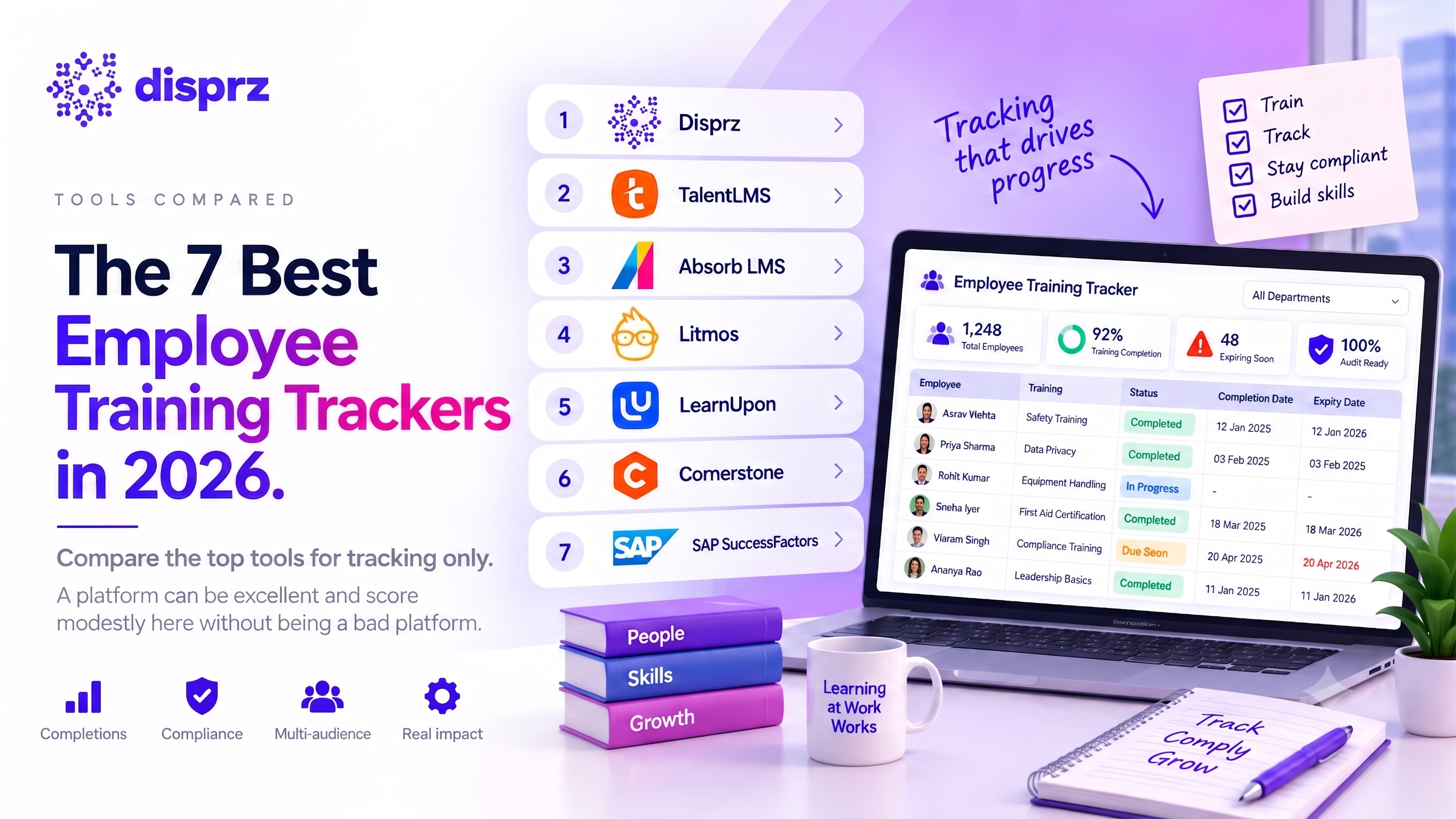
Employee training trackers at a glance
| Tool | Category | Best for | Weakest tracking point |
|---|---|---|---|
| Disprz | Unified LMS, LXP and Skills Intelligence | Frontline and distributed teams, skill-level evidence | More platform than a pure ledger needs |
| TalentLMS | Lightweight LMS | Small teams wanting fast setup | Reporting and role mapping thin at scale |
| Absorb LMS | Reporting-led LMS | Admin teams who live in custom reports | External and offline records less natural |
| Litmos | Compliance and extended enterprise LMS | Fast compliance rollout, partner and customer training | Deeper analysis needs an external BI tool |
| LearnUpon | Multi-portal LMS | Tracking staff, partners and customers separately | Cross-portal reporting needs configuration |
| Cornerstone | Talent management suite | Multi-entity audit obligations | Setup time and administrative weight |
| SAP SuccessFactors Learning | Learning module inside an HCM suite | Organisations already running SAP HR | Reporting built for HR, not L&D nuance |
What separates recording training from proving it
Six things decide whether a tool actually tracks, and they are not equally weighted. The first is worth more than the other five combined.
Start with evidence quality. Ask to see the export an auditor would receive, not the dashboard the salesperson wants to show you. A timestamped, tamper-evident record is a different object from a screenshot, and vendors are rarely asked to demonstrate the difference in a first call.
Then renewal. Storing an expiry date is table stakes; acting on it is not. Does the system warn both the person and their manager before a certification lapses, and re-enrol them automatically, or does it only raise a flag that somebody still has to notice?
Third, and this is where LMS-first tools most often fail, ask whether you can log training that happened somewhere else. A supplier workshop, a conference session, a licence somebody brought with them from a previous employer, with the certificate attached as proof.
Manager visibility without a request. An overdue item has to reach the line manager on its own. If someone has to remember to run a report, it will not be happening in month seven.
HR system sync matters more than it sounds. Role changes and leavers should update training requirements automatically, because the alternative is a manual edit that eventually gets missed.
Last, setup honesty. Not how long the sales cycle runs, but how many weeks until the thing is genuinely tracking your people against your certifications.
The four deal breakers. Walk away if reporting is limited to fixed PDF summaries with no export. Walk away if every new hire needs manual assignment. Walk away if there is no SSO or permission tiering, because training records are personnel data. And walk away if implementation, storage or additional administrator seats are priced separately and vaguely, because that is where a cheap quote becomes an expensive contract.
A seventh question, which is not a feature. Ask whoever will own this day to day whether they will still be doing the admin in six months. Every tool here works. Tracker implementations fail through quiet abandonment far more often than through the software itself, and the tell is almost always that ongoing effort was underestimated at purchase.
The 7 best employee training trackers
Judged on tracking only. A platform can be excellent and score modestly here without being a bad platform.
1. Disprz
Best for: frontline and distributed workforces, and anyone who needs evidence at the skill level rather than the course level.
Records role-to-skill mapping alongside completions, so the output shows proficiency movement rather than only who finished what. Assessment data combines self-rating, manager rating and test scores into a role fitment view, surfaced as a skill heat map at organisation, department and role level. Offline mobile capture matters here for shift and field teams whose completion data would otherwise never arrive at all.
Tracking strengths: skill-level evidence rather than completions alone, offline capture syncing on reconnection, heat map reporting at three levels, SCORM and xAPI support.
Where it falls short: if you genuinely need a certification ledger and nothing else, this is more platform than the problem requires.
2. TalentLMS
Best for: small teams and lean L&D functions who want to be tracking within days.
The quickest platform here to get running. Completion status, login patterns and assessment scores are available without configuration work, which suits teams with no dedicated administrator.
Tracking strengths: fast setup, clean completion dashboards, straightforward assessment reporting.
Where it falls short: TalentLMS reporting depth flattens against complex compliance structures, and job role mapping is comparatively thin, so it holds up better for generic training requirements than for role-specific certification regimes.
3. Absorb LMS
Best for: administrators who will genuinely build and schedule their own reports.
Absorb LMS reporting engine is the argument for it. Custom report building, scheduled delivery to department heads, and granular filtering by department, role and location are native rather than bolted on.
Tracking strengths: custom report builder, scheduled report delivery, granular time-on-module data, automated compliance alerts.
Where it falls short: records of external and in-person training are handled less naturally than records of platform activity.
4. Litmos
Best for: getting compliance tracking live quickly, particularly where training extends to partners and customers as well as staff.
Strong out of the box for regulatory tracking, with compliance templates, certification management and an extended enterprise model that keeps external audiences in their own environment. A Salesforce connector is available, and raw training logs export cleanly into an external business intelligence tool.
Tracking strengths: rapid compliance setup, certification tracking, extended enterprise records, raw log export to Power BI or Tableau.
Where it falls short: the deeper analysis tends to happen in the BI tool rather than in Litmos, which is a second system to own and maintain. Several capabilities including the Salesforce connector sit in higher tiers or as paid add-ons, so the headline quote and the eventual cost can diverge.
5. LearnUpon
Best for: organisations tracking employees, partners and customers whose records must stay separate.
The portal model is a tracking differentiator rather than a delivery convenience. Each audience gets its own environment with its own requirements, its own reporting and its own compliance rules, while administrators keep a consolidated view across all of them. For franchise networks, dealer channels and accredited partner programmes, that separation is a regulatory requirement rather than a nicety.
Tracking strengths: multi-portal separation, central roll-up reporting, per-audience compliance rules, clean partner and customer records.
Where it falls short: reporting that spans portals takes deliberate configuration rather than working by default.
6. Cornerstone
Best for: large enterprises that need compliance tracking inside a wider talent suite rather than as a standalone system.
Cornerstone runs deep compliance workflows, tracks internal staff and external populations such as partners and contractors in one view, and keeps audit archiving built for scrutiny rather than for reporting convenience. Learning sits alongside performance, recruiting and succession under the Cornerstone Galaxy platform, so tracking decisions tend to get made at suite level.
Tracking strengths: complex audit trails, multi-tier compliance workflows, competency modelling with proficiency levels, extended enterprise tracking.
Where it falls short: Cornerstone rollouts typically run in quarters rather than weeks and lean on consulting support, and the administrative weight becomes disproportionate below a certain scale.
7. SAP SuccessFactors Learning
Best for: organisations already running SAP for core HR, where training records need to live in the same employee master data as everything else.
Where Employee Central is in place, completion data sits alongside performance and promotion history without a separate integration to maintain. Proctored assessments and multi-level approvals give it real credibility for regulated tracking, which is why it holds ground in manufacturing, energy, banking and public sector organisations.
Tracking strengths: native HR core integration, enterprise audit trails, global regulatory tracking, proctored assessments.
Where it falls short: SAP SuccessFactors Learning reports are built for HR standardisation rather than L&D nuance, so teams often export into a separate BI tool to get training analytics they can act on. Rollouts also run in months and usually need an implementation partner.
Also considered
Four platforms from the original shortlist did not make the seven, for reasons specific to tracking rather than quality. 360Learning tracks collaborative and peer activity better than most, but compliance is not its centre of gravity. Skillsoft Percipio tracks consumption of its own library in depth, which narrows what you can measure. Adobe Learning Manager handles mixed virtual, classroom and self-paced tracking well and is heavier than most tracking needs warrant. Moodle can track almost anything you are willing to build, and a no-cost licence is not the same as a no-cost implementation.
Tracker, LMS, or HRIS? Three routes, three different jobs
Most comparisons stop at two. There are three, and confusing them is how organisations end up paying for the same capability twice.
| Dimension | Dedicated tracker | Learning platform | HRIS |
|---|---|---|---|
| Core job | Proving training happened | Delivering the training | Holding the employee record |
| Hosts content | No | Yes | No |
| External and in-person records | Its main strength | Possible, rarely elegant | Usually a text field |
| Links training to promotion history | No | Sometimes | Natively |
| Setup time | Days | Weeks to months | Already running |
| Fails when | You need to deliver the training | Most training is off-platform | You need real learning analytics |
The practical test is where your training currently happens. Mostly in person, supplier-run, or predating people joining? A tracker records reality and an LMS records a fraction of it. Mostly digital, and you also want to build capability rather than only evidence it? The platform is the right purchase and tracking comes with it, and the criteria in an LXP buyer guide separate discovery-led platforms from compliance-led ones. Already have training fields in your HRIS? Use them for the record of record, and accept that the analytics will be thin.
Plenty of large organisations run two of the three. That is a legitimate answer rather than indecision.
Tracking is not measuring: the four levels
Every tool above tracks completion. Completion is the weakest evidence in the set, and knowing why changes what you ask a vendor for.
The Kirkpatrick model splits training evaluation into four levels, and most organisations stop at the first two without noticing.
| Level | What it measures | How you capture it | What most trackers do |
|---|---|---|---|
| 1. Reaction | Whether people found it useful | Post-course survey or rating | Handled by nearly all |
| 2. Learning | Whether knowledge actually landed | Pre and post assessment scores | Handled by most |
| 3. Behaviour | Whether they do the job differently | Manager observation, reassessment weeks later | Handled by few |
| 4. Results | Whether a business number moved | Sales, incidents, attrition, time to productivity | Handled by almost none |
Level three is where the drop-off happens, and it is not a technology limitation. Capturing behaviour change needs a second measurement some weeks after the training, against the same baseline. Any platform that stores a pre-training assessment can do this. Very few organisations bother, which is why so many training programmes cannot say whether they worked.
Four operational metrics are worth watching alongside those levels, and they answer different questions. Completion rate is really a measure of administration. Compliance rate, meaning the share of people currently holding active mandatory certifications, is the one that describes risk, and it is the number an auditor is closest to asking for. Average time to complete usually reveals whether the obstacle is the content or the calendar. Training spend per employee, on its own, says nothing useful at all, and becomes informative only when set beside level four, which is where a structured way to calculate training ROI earns its place.
Tracking tells you somebody turned up. Only a baseline and a reassessment tell you whether they changed.
Which tool fits which situation
Under 50 people with a single certification type on one site, a spreadsheet with conditional formatting and a named owner is the correct answer, and buying software instead is the expensive mistake. Revisit when one of those three conditions changes, not on a calendar.
Heavily regulated and delivering most training in person? Look at a standalone tracker rather than anything on the list of seven. Evidence quality is the entire purchase, and the content hosting you would be paying for sits unused.
Distributed or frontline workforce. Whatever you pick has to capture completion on a phone, offline, with no desk. This single constraint eliminates more options than any other, and it is what sits behind results like the onboarding time reduction at Wellness Forever.
Multiple legal entities and several regulators means enterprise tier. Budget the implementation honestly.
Already running SAP for core HR? Start with SuccessFactors Learning before evaluating anything else, because the integration you would otherwise build is already there.
And if the goal is proving training changed performance rather than proving it happened, you need skill-level tracking with a baseline and a reassessment. That is a different data model from completion tracking, and no amount of report configuration will retrofit it.
What these tools cost
Honestly: mostly undisclosed, and any tidy pricing table for this category is estimation.
Three models cover the market. Per active user per month is standard in the mid-market. Flat platform fees appear at enterprise level, usually with a minimum seat count. Open source has no licence cost and a real implementation cost.
For a public reference point, Aptien, a lightweight tracker outside the seven, prices on active employee count in tiers of 10, 20, 50 and 100 plus, with an enterprise tier quoted on request. Even there the published page does not carry figures, which is typical of the category. Everything in the seven quotes on request.
Where budgets get missed. Implementation and configuration fees, migration from whatever you run now, integration work to sync with your HR system, and additional administrator seats. Ask for all four in writing before you compare headline numbers, because the headline is rarely what you pay.
Where Disprz fits
Disprz sits in the learning platform group as a unified LMS, LXP and Skills Intelligence stack, and the reason to consider it for tracking specifically is that it records skill movement rather than only course completion.
That distinction matters when the question is not whether they finished the module but whether they can do the job. A completion record proves attendance. A skill score with a baseline and a reassessment proves change, which is the level three evidence the table above shows almost nobody captures.
Two capabilities carry most of the tracking use case. Role-to-skill mapping means every completion is recorded against a defined competency, so the report reads as capability by department rather than a list of finished courses. And the Frontline Enablement solution captures completion on a phone, offline, so a shift worker or field engineer trains with no signal and the record syncs on reconnection, which is the difference between having frontline data and having a hole where it should be.
The regional point is worth stating plainly, because most of this list is built and supported from North America and Europe. Disprz has spent more than a decade on the ground in India, Southeast Asia and the Middle East, with local language support and regional customer success teams. That is usually where global vendors are thinnest and where audit requirements are least generic. The ROSHN programme results are one reference point from that market.
Where it is the wrong choice: if you need a certification ledger and nothing more, a standalone tracker will cost less and set up faster, and the spreadsheet section earlier in this article is a serious suggestion rather than a courtesy. Buying a platform to solve a record-keeping problem is the most common way organisations overspend in this category.
Frequently asked questions
What L&D leaders ask most often when choosing an employee training tracker.
What is an employee training tracker?
An employee training tracker is a system that records who was trained, on what, and when that training expires. The process stores completion dates, expiry dates and supporting evidence against each employee, then alerts managers before a certification lapses. This helps organisations produce audit evidence in minutes rather than assembling it manually over several days.
How do you track employee training in Excel?
Track employee training in Excel using eight columns: name, ID, department, course, assigned date, completion date, expiry date and evidence. Conditional formatting turns each row amber thirty days before expiry and red at expiry, and validation dropdowns keep departments consistent. This approach works reliably up to roughly fifty people on a single site.
What is the difference between an LMS and a training tracker?
An LMS delivers training, while a training tracker proves it happened. This distinction matters because an LMS only records what took place inside it, so workshops, supplier courses and prior certifications go missing. A tracker captures external and in-person training too, which is usually where compliance gaps appear during an audit.
How do you track mandatory compliance training?
Track mandatory compliance training by recording an expiry date for every certification and automating the renewal alert. The process should notify both the employee and their line manager ahead of the lapse date, re-enrol the person automatically, and store timestamped evidence that an auditor can accept without further explanation.
What should an employee training record include?
An employee training record should include the person, the course, the completion date, the expiry date and the evidence. Adding the assessment score and the assessor turns that record into proof of competence rather than proof of attendance. This helps when a regulator asks whether someone was capable, not merely present.
How often should training records be reviewed?
Training records should be reviewed monthly for expiry, and fully audited once a year. Monthly review catches lapsing certifications while renewal is still routine. The annual audit is the process that finds structural problems: duplicate entries, people who left, and training requirements that were never assigned to a role.
About the authors


Shobhit Mathur
Chief Customer Officer
Shobhit Mathur is a senior customer experience and business leader with extensive experience helping enterprises drive learning, skilling, adoption, and workforce transformation through technology....
Reviewed for accuracy on 07 Sep 2026